Floor Markings and WMS Integration: 2026 Guide
Floor markings are the physical operating layer that makes warehouse management system (WMS) integration work in practice. Without standardized, durable visual cues on the floor, even the most sophisticated WMS software loses its grip on real-time inventory accuracy. The role of floor markings in WMS integration is to anchor digital records to physical space, giving pickers, forklifts, and cycle counters a shared reference point that the system can trust. OSHA 1910.176(a), Lean 5S frameworks, and UV-cured floor marking technologies each reinforce why this physical layer is not optional. It is the foundation.
How do floor markings support WMS integration accuracy?
Floor markings serve as the physical source of truth that anchors every digital record in your WMS to a specific location on the floor. When zone boundaries for pick areas, bulk storage, and staging are clearly marked and consistently maintained, the WMS can trust the data it receives from scanners and cycle counts. Remove that physical reference, and the system starts generating ghost inventory, misrouted picks, and reconciliation headaches that cost real hours.
The connection between floor markings and WMS accuracy shows up most clearly during cycle counts. A picker who can visually confirm they are standing in Zone B-4 before scanning a barcode introduces far fewer errors than one guessing at boundaries. Consistent, scannable zone markings cut the gap between what the WMS expects and what workers actually find on the floor.

Poor or missing markings create a specific failure mode called inventory ghosting. This happens when the WMS records a product in a location that no longer exists or has been informally repurposed. Mismatched digital and physical layouts cause ghost inventory and operational disruptions that compound over time, especially during peak seasons when speed matters most.
Here is what accurate floor marking systems do for WMS performance:
- Define pick, bulk, staging, and receiving zones with clear, scannable boundaries
- Reduce picker travel time by making navigation intuitive without supervisor intervention
- Support accurate cycle counts by giving workers a physical confirmation of location
- Prevent informal zone creep, where workers start using unmarked space and the WMS loses track
- Enable faster onboarding because new staff can read the floor without memorizing a map
Pro Tip: Schedule your floor marking installation to complete at least two weeks before your WMS go-live date. This gives your team time to validate that physical zone labels match the location codes in the system before any live inventory moves.
What are the safety and operational benefits?
Clear floor markings aligned with WMS-driven workflows deliver measurable safety gains. Comprehensive floor marking can reduce navigation-related incidents by up to 35%. That number reflects what happens when pedestrians and forklifts stop sharing ambiguous space and start following defined paths.
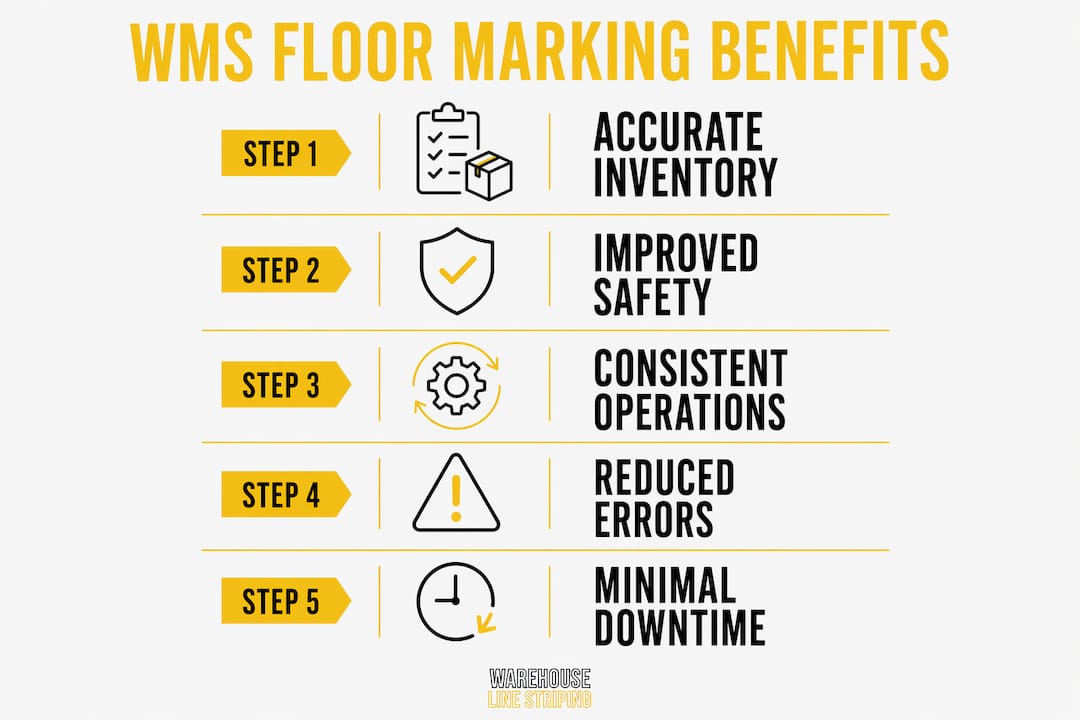
OSHA 1910.176(a) requires that aisles and passageways be kept clear and appropriately marked. Violations carry penalties up to $16,550 per citation. Beyond the fine, an unmarked aisle is a liability that no WMS can compensate for digitally.
The operational benefits stack up in a specific order:
- Pedestrian and vehicle separation. Dedicated forklift lanes and pedestrian walkways, marked in contrasting colors, eliminate the most common source of near-miss incidents in distribution centers.
- Workflow standardization. When every worker follows the same visual path, the WMS receives consistent, predictable data from scanners at each zone boundary.
- 5S compliance. Floor marking as a Lean extension makes warehouses self-managing. Workers know where everything belongs without asking, which reduces supervisor load and speeds throughput.
- Active safety integration. Dynamic technologies like projector-based crosswalks that change color when forklifts approach represent the next generation of floor-level safety, going beyond static tape to respond in real time.
“Consistency is more critical than following a fixed color chart. A facility that applies its own color scheme uniformly across every zone will outperform one that uses the ‘correct’ colors inconsistently.” — OSHA Education Center
The insight here is practical. OSHA does not mandate specific colors for most warehouse zones. What it requires is that whatever system you choose gets applied without gaps or contradictions. A consistent color scheme reduces confusion and hazards far more reliably than a theoretically perfect color chart that workers cannot remember.
What materials and design work best in demanding warehouses?
Material selection determines whether your floor markings survive long enough to pay for themselves. The three primary options each fit different operational profiles.
| Material | Best Environment | Durability | Downtime Required |
|---|---|---|---|
| UV-cured epoxy | Cold storage, 24/7 operations | 3–7 years | None (cures immediately) |
| High-durability tape | Light to medium traffic, temp zones | 1–3 years | Minimal |
| Standard paint/epoxy | Low-traffic areas, periodic shutdowns | 1–2 years | 24–48 hours |
UV-cured floor markings are the standout choice for facilities that cannot afford downtime. These materials endure temperatures from -25°C to +35°C and handle intensive forklift traffic without peeling or fading. For cold storage operations or 24/7 distribution centers, UV-cured markings are the only practical option. Traditional paint requires downtime that most modern facilities simply cannot schedule.
Design consistency matters as much as material quality. Color coding should map directly to your WMS zone structure. If the system calls a location “Receiving Zone 3,” the floor should show a distinct color and label that matches that exact designation. Mismatches between floor labels and WMS location codes are a leading cause of picking errors during the first 90 days after a WMS rollout.
Pro Tip: Before installing new markings, remove all old or outdated lines completely. Partial removal leaves ghost lines that confuse workers and undermine the visual discipline your WMS depends on. Warehouse Line Striping includes professional removal as a standard part of every installation project.
Two mistakes show up repeatedly in warehouse floor marking projects. The first is ignoring curing times on traditional epoxy, which leads to tire marks and smearing that degrade legibility within weeks. The second is applying inconsistent line widths or colors across different sections of the same facility, which forces workers to mentally translate between zones instead of reading the floor intuitively.
How can managers implement floor markings that maximize WMS benefits?
Successful implementation requires treating floor markings as a software deployment, not a painting project. The physical layout and the digital layout must match from day one.
- Coordinate timelines with your WMS vendor. Uncoordinated floor marking and WMS projects cause data inaccuracies and confusion during initial deployment. Lock in your floor marking completion date before your WMS go-live is scheduled.
- Standardize location naming on the floor. Every zone label, aisle marker, and bay designation on the floor must use the exact alphanumeric code the WMS uses. No abbreviations, no informal nicknames.
- Include scannable codes at zone boundaries. QR codes or barcodes embedded in floor markings let workers confirm their location with a single scan, feeding accurate data directly into the WMS without manual entry.
- Train staff on floor marking logic. Employees who understand floor marking codes reduce picking errors and operate more smoothly within the WMS workflow. Training should cover why each zone is marked the way it is, not just where things are.
- Schedule quarterly audits. Forklift traffic, pallet drops, and cleaning equipment degrade markings over time. A quarterly walk-through to identify faded lines, damaged labels, or zone creep keeps the physical layer aligned with the digital one.
- Build a feedback loop with your WMS data. If the system flags a specific location for repeated pick errors, check the floor markings in that zone first. Degraded or ambiguous markings are the most common physical cause of WMS location discrepancies.
Lean principles apply directly here. Floor marking as a 5S visual control makes the warehouse self-correcting. Workers can spot a problem, such as a pallet in the wrong zone, without consulting the WMS because the floor tells them it is wrong.
Key takeaways
Floor markings are the physical infrastructure that WMS software depends on to maintain accurate, real-time inventory data across every zone in your facility.
| Point | Details |
|---|---|
| Physical anchor for WMS data | Zone markings must match WMS location codes exactly to prevent ghost inventory and picking errors. |
| Safety compliance drives ROI | Proper aisle markings reduce navigation incidents by up to 35% and protect against OSHA penalties up to $16,550. |
| Material choice determines uptime | UV-cured epoxy cures immediately and lasts 3–7 years, making it the right call for 24/7 and cold storage operations. |
| Coordinate timelines with WMS rollout | Floor marking installation should complete at least two weeks before WMS go-live to allow validation and staff training. |
| Consistency beats perfection | A uniform color scheme applied throughout the facility outperforms a theoretically ideal scheme applied inconsistently. |
The floor is your first line of WMS defense
After working across hundreds of warehouse projects, the pattern I keep seeing is the same: facilities invest heavily in WMS software and almost nothing in the physical layer that makes it work. The WMS gets blamed for pick errors, inventory discrepancies, and cycle count failures that are actually caused by faded aisle lines, mismatched zone labels, and informal storage areas that nobody marked.
The floor is not a background detail. It is the operating system beneath the operating system. When a picker stands in an unmarked zone and scans a barcode, the WMS records a location that may not match anything real. That single scan starts a chain of data errors that takes weeks to untangle.
What I find most underappreciated is the role of removal. Facilities that update their WMS layout but leave old floor markings in place create a genuinely dangerous situation. Workers follow the old lines because they are visible, while the WMS routes them to the new zones. The result is a facility where the physical and digital realities are actively fighting each other.
The emerging shift toward dynamic markings, like sensor-integrated projections that respond to forklift proximity, is worth watching. But the fundamentals still apply. Smart technology built on an inconsistent physical foundation will fail just as reliably as a basic tape system that nobody maintains. Get the basics right first. Then layer in the technology.
— ET
Upgrade your facility’s floor marking system
If your WMS is underperforming, the floor is the first place to look. Warehouse Line Striping has completed over 10,000 floor marking projects for distribution centers and industrial facilities nationwide, using industrial-grade UV-cured epoxy that lasts 3–7 years without downtime during installation.

Start with the Floor Marking Systems for Inventory Flow: 2026 Guide to see how a properly designed marking system maps to your WMS zone structure. For OSHA compliance specifics, the OSHA marking requirements resource covers what your facility needs to meet 1910.176(a) standards. Warehouse Line Striping’s team is available 24/7 to assess your current layout and recommend a marking plan that aligns with your WMS configuration from day one.
FAQ
What is the role of floor markings in WMS integration?
Floor markings serve as the physical reference layer that anchors WMS location data to real space on the warehouse floor. Without consistent, durable zone markings, the WMS cannot reliably match digital inventory records to physical locations, leading to picking errors and ghost inventory.
How do floor markings reduce warehouse picking errors?
Clear zone boundaries and scannable floor labels give workers a physical confirmation of their location before each scan, reducing the gap between what the WMS expects and what actually gets recorded. Employees trained on floor marking logic produce fewer picking errors and process orders faster.
What floor marking material works best for 24/7 warehouses?
UV-cured epoxy is the best choice for continuous operations because it cures immediately, requires no downtime, and withstands extreme temperatures and heavy forklift traffic for 3–7 years.
Does OSHA require specific colors for warehouse floor markings?
OSHA 1910.176(a) requires that aisles be marked but does not mandate specific colors for most zones. What matters is that your facility applies its chosen color scheme consistently across every area, since inconsistent markings create confusion and increase incident risk.
When should floor markings be installed relative to a WMS go-live?
Floor marking installation should be complete at least two weeks before your WMS goes live. This window allows your team to validate that every physical zone label matches the corresponding location code in the system before live inventory operations begin.